
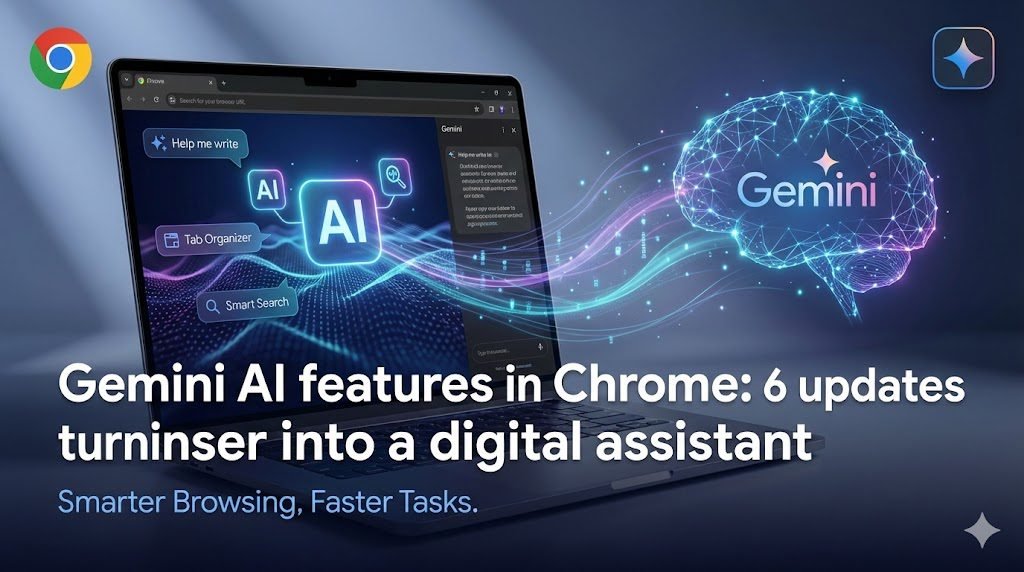
In 2026, a browser is no longer just a place to open tabs. For many people in Pakistan, Chrome is where work happens: WhatsApp Web runs in the background, invoices sit in a Gmail thread, Maps links are shared in groups, and a dozen pages are open while comparing prices, reading policies, and checking locations. That daily reality is exactly where Google is positioning Gemini inside Chrome.
This post explains the latest Gemini AI features in Chrome, including the new side panel experience, image transformation inside the browser, Connected Apps, Personal Intelligence, and the agentic “auto browse” capability that can handle multi-step web chores. It also covers what these features mean for Pakistan-based users, especially professionals in Islamabad and Rawalpindi who depend on the web for research, planning, and decision-making.
What Google changed in Chrome in 2026
Google’s direction is clear: Chrome is moving toward an assistant-style browser experience where you can ask for support without leaving your current tab. Instead of switching between tabs to summarize, compare, or copy data into documents, Gemini sits alongside the page and works with what you are already viewing.
These are the six major updates that matter most.
1) A new Gemini side panel for multitasking without leaving your tab
The most visible change is Gemini opening in a side panel inside Chrome. The goal is simple: keep your main page open while Gemini supports a second task next to it.
In practical terms, that means you can keep one tab focused (a government notice, a project map, a booking page, a policy doc, a spreadsheet) and use Gemini in the side panel to summarize, compare, or extract the key points.
Pakistan-specific example use cases:
- A Rawalpindi buyer comparing three housing society brochures can keep a payment plan open and ask Gemini to summarize differences in booking, installments, and possession terms in one clean list.
- An Islamabad business owner reviewing vendor proposals can keep one proposal open and ask Gemini to list deliverables, exclusions, and timeline risks.
- A content team preparing a campaign can keep a competitor page open and ask Gemini to extract the structure, headlines, and missing FAQs without jumping between tabs.
This is not a new “search engine.” It is a workflow layer sitting beside your browsing session.
2) Transform images inside the browser with Nano Banana
Chrome is also bringing in an image transformation feature through a capability Google calls Nano Banana. The key point is that it works directly in your browsing window, so you do not need to download an image, open another tool, then re-upload it.
For Pakistan-based teams, this matters because a lot of work happens with quick visuals:
- Drafting a basic infographic from a chart or dataset on a web page
- Testing a layout idea for a banner, thumbnail, or property flyer
- Creating quick visual alternatives for a listing post (without changing apps repeatedly)
This feature still depends on safe usage practices. In professional environments, it’s best used for legitimate design iteration, quick concept checks, and internal planning—not for copying proprietary work or misrepresenting visuals.
3) Connected Apps inside Gemini in Chrome
Gemini in Chrome supports Connected Apps, meaning it can connect to Google services like Gmail, Calendar, YouTube, Maps, Shopping, and Flights (based on availability and settings). The practical benefit is that a browsing assistant becomes more useful when it can reference your own context, instead of acting like a generic chatbot.
Use cases that fit daily work patterns:
- Pull event details from email and match them with your calendar timing
- Reference a Maps location while you’re reading a venue listing
- Use YouTube context while researching a product or a topic
For Islamabad and Rawalpindi professionals, this is the difference between “general advice” and “helpful on my current task.” It also raises privacy considerations: users should be deliberate about what they connect and disconnect.
4) Personal Intelligence for context-aware help (opt-in)
Google has also discussed bringing Personal Intelligence into Chrome. The idea is that Gemini can remember context from past conversations to provide more tailored support. This is framed as opt-in with user control, including the ability to connect and disconnect apps.
In a Pakistan context, this kind of feature is most useful when work is repetitive:
- Similar vendor comparisons every month
- Recurring reporting formats
- Standard legal or compliance checklists
- Repeated client questions (pricing, process, approvals, timelines)
The tradeoff is obvious: personalization becomes more helpful only when users allow more context. That makes settings discipline important, especially on shared office devices or laptops used by multiple team members.
5) Auto browse: agentic browsing that handles multi-step chores
Auto browse is the most sensitive and most interesting change. It moves beyond “assist and summarize” into “take action across steps.”
Google’s positioning is that Chrome can help with multi-step workflows such as researching options across dates, filling forms, collecting documents, checking bills, managing subscriptions, and similar tasks. It is designed to pause and ask for confirmation for sensitive actions, such as purchases or posting.
Important availability note: at the time of Google’s announcement, auto browse is rolling out in preview in the U.S. for certain paid AI subscription tiers, and Gemini in Chrome availability is also initially described with U.S. rollout details on specific platforms. That means Pakistan users should treat this as a direction of travel rather than something universally live for every local account today.
Even with limited availability, it matters because it shows where browsing is heading: a browser that can act like a task runner, not just a tab viewer.
Pakistan-specific potential use cases once such capabilities expand:
- Comparing airfare and hotel options for business travel and summarizing the best date combinations by budget range
- Filling repetitive online forms for internal admin processes (with human review)
- Collecting receipts or invoice PDFs from multiple portals for monthly accounts work
- Shortlisting property options by filtering long pages of results based on a fixed criteria list
If your work depends on accuracy, you still need human review. Agentic browsing is not a replacement for judgment; it is a tool that reduces repetitive effort.
6) Security and control mechanisms built into Gemini and auto browse
Whenever a browser starts taking action, the first question becomes trust and control. Google’s messaging emphasizes that Gemini in Chrome is built with security standards, and that auto browse is designed to keep users in the loop by asking for confirmation at key points.
For Pakistan-based users who already deal with phishing attempts, fake pages, and payment-related scams, this control layer matters. Still, it does not remove the need for safe habits:
- Verify URLs before entering credentials
- Avoid granting permissions on unknown pages
- Keep password manager access limited on shared devices
- Treat any “action automation” as review-first, not autopilot
If these features become common in Pakistan, security awareness will become even more important, because “browser actions” can carry more consequences than “browser reading.”
What this shift means for Pakistan users (Islamabad and Rawalpindi focus)
A lot of global tech writing stays abstract. In Pakistan, the internet experience has its own constraints: mixed bandwidth quality, heavy mobile usage, office reliance on shared machines, and a work culture that leans on WhatsApp, email threads, and quick decisions.
Here is what this Chrome shift changes in real work:
Faster comparison work without spreadsheet fatigue
In Islamabad and Rawalpindi, buyers compare housing societies, builders, commercial units, and payment plans across many tabs. A side panel assistant is useful because comparison is the default behavior in this market.
Less context switching for small teams
Many teams are lean. A marketer, agent, or operations person often wears multiple hats. Cutting context switching saves time because the same person is handling research, communication, and documentation.
Better decision hygiene if used correctly
The biggest risk in Pakistan’s market is acting on incomplete information: wrong approval assumptions, outdated pricing, unclear terms, or trusting screenshots instead of official notices. An assistant that summarizes can help—but only if the user still verifies sources and reads the original where needed.
More importance on browser settings and access control
Personal Intelligence and Connected Apps can be genuinely useful, but in shared-device environments they can also expose sensitive context. Office setups should be stricter about Chrome profiles, sign-in separation, and permission controls.
Practical workflow examples for real estate and business teams
These examples are written for the way work actually happens in the twin cities.
Example 1: Property shortlisting with consistent criteria
You have 12 tabs open: maps, project pages, payment plans, videos, and developer claims. With Gemini in a side panel, you can keep a criteria list (budget, location corridor, access roads, approval body, possession timeline) and ask the assistant to keep summarizing each tab into the same structure.
This is the kind of workflow where a neutral platform like Property AI can be used as a reference point for filtering verified listings across cities while you do your own on-ground checks.
Example 2: Turning scattered info into one client-ready brief
Clients in Islamabad and Rawalpindi usually want one page: key price, payment plan, location access, and approval status direction (with verification steps). A side panel assistant can speed up converting long pages into a structured brief, while you still confirm the official sources.
Example 3: Reducing admin load for repeated web chores
When agentic browsing expands in availability, repetitive tasks like form filling, document collection, and scheduling can be partially handled by auto browse with human confirmation. That is useful for small teams that do not have dedicated admin staff.
One official source worth reading
Google’s full announcement on Gemini in Chrome and auto browse is available here: The new era of browsing: Putting Gemini to work in Chrome
FAQs
What are the Gemini AI features in Chrome in 2026?
The Gemini AI features in Chrome include a new side panel assistant experience, in-browser image transformation, Connected Apps support, Personal Intelligence plans, auto browse for multi-step tasks, and built-in confirmation controls for sensitive actions.
Is auto browse available in Pakistan in 2026?
Google’s announcement describes auto browse rolling out in preview in the U.S. for specific subscription tiers at launch. Pakistan availability can change over time, so users should check their Chrome and Gemini settings for feature access in their region.
Can Gemini in Chrome summarize property and policy pages accurately?
It can summarize what is visible on a page, but accuracy depends on the source page and the clarity of the content. For high-stakes decisions, users should verify approvals and terms from official authorities or verified documentation.
What is the main privacy risk with Personal Intelligence in Chrome?
The main risk is that more context and connected data can create exposure on shared devices. Separate Chrome profiles, careful permission settings, and limiting connected apps on office machines reduce that risk.
How can real estate teams in Islamabad and Rawalpindi use Gemini in Chrome responsibly?
Use it for summarizing, comparing, and structuring information, while keeping the original sources open and verifying approvals, payments, and claims through official channels before advising clients.
Disclaimer: Information is for awareness purposes only and is subject to change. Buyers should verify approvals and details independently.